Octopus Sandbox Controls
Tentacles, camera, movement comfort—and how to keep aim readable mid-chaos.
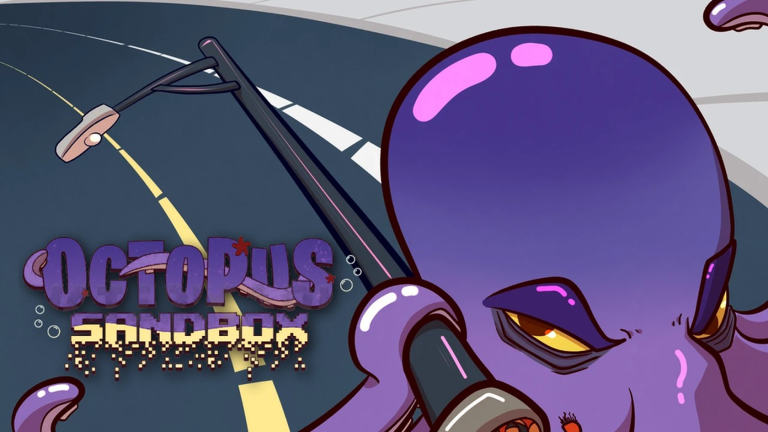
Mastering Octopus Sandbox controls is the difference between accidental wobble and intentional terror. This Roblox solo sandbox from Duck Fighter Studios throws physics debris, wide limbs, and busy skylines at you at once. If the camera feels drunk or tentacles miss every corner joint, you do not need a shady script—you need a cleaner input plan.
This page assumes you already launched the real experience (place 132284714105008) using Getting Started. After controls click, graduate to Destroy the City and rank your style on the Tier List.
Control philosophy for a giant octopus
You are not a precision hitscan shooter. You are a mass of limbs interacting with a physics world. Good control means:
- Predictable camera so you can see the structural weak point you meant to hit
- Committed swings instead of tiny panicked taps
- Recovery habits after a collapse blinds the lens with dust and props
- Pacing so your client can keep up (solo does not mean infinite performance budget)
Roblox input bindings can vary by device (keyboard/mouse vs gamepad vs touch). Treat the sections below as universal habits that map onto whatever scheme the current build exposes in Settings.
Movement fundamentals
- Move with purpose between swings. Repositioning beats swinging blindly from a bad angle.
- Use elevation changes. Attacking from a slightly different height often folds a facade better than repeating the same side slap.
- Stop before the big hit. A half-second pause lets you confirm the crosshair—or tentacle silhouette—is on a support, not empty air.
- Do not chase every flying prop. Chasing debris trains bad camera habits; let physics finish, then re-acquire the building.
If movement ever feels “sticky�?after a FIX patch, relaunch before redesigning your whole claw technique. See November 2026 FIX and the Updates Hub.
Tentacle aim and smash timing
Think in setup �?strike �?settle loops:
- Setup: Frame the target so at least one major support is visible.
- Strike: Commit a full motion through the structure rather than pecking.
- Settle: Wait for the collapse animation/physics step so the next strike has a new silhouette to read.
Corners, lower floors, and already-cracked segments usually reward aim more than decorative rooftop spam. When a tower leans, help it finish in the lean direction instead of fighting the fall.
Practice drill (five minutes):
- Pick one mid-size building.
- Only strike from the same side until it falls.
- Reset your camera deliberately between hits.
- Repeat from the opposite side on a second building.
That drill alone moves you out of Random Tentacle Flail territory on the tier list.
Camera tips that save sessions
| Habit | Why it helps |
|---|---|
| Re-center after every major collapse | Stops debris tunnel vision |
| Zoom out before district-wide swings | Shows which towers still stand |
| Avoid ultra-low angles in heavy dust | Improves readability |
| Take a “horizon break�?every few minutes | Reduces motion fatigue |
| Do not spin constantly while swimming/moving | Prevents nausea and missed limbs |
On higher sensitivities, tiny mouse movements become huge limb arcs. If you overshoot supports, lower look sensitivity slightly and raise it again once muscle memory arrives.
Device-specific notes
Keyboard & mouse: Best for deliberate cinematic orbits and landmark hunting. Keep fingers ready to stop movement while aiming the decisive hit.
Gamepad: Great comfort for long solo sessions. Use the stick’s full range for camera sweeps, but feather aim when lining up a corner crack.
Touch: Prioritize larger targets and Controlled Demolition playstyles. Two-thumb camera fight is harder during max debris—zoom out more than PC players.
Whatever the device, check Roblox Settings �?Experience (or in-game gear menus) after FIX updates; creators sometimes shuffle button labels when repairing HUDs.
Comfort & accessibility
- Lower graphics if particle mush hides structural edges—see also Tips and Tricks.
- Take breaks; sandbox sessions invite “one more tower�?spirals.
- If motion sickness hits, switch to slower Controlled Demolition instead of Speed Flat-Map for a while.
- Headphones help sell impact timing even when visuals get busy.
Controls vs scripts
Players sometimes search for movement scripts because aim feels bad on day one. Read the Scripts Hub: there are no confirmed Octopus Sandbox-specific tools worth risking an account over, and universal hubs break across FIX versions. Ten focused minutes on this page beats a malware-adjacent GUI.
Linking controls to destruction routes
Once you can re-center cold and land two committed corner hits in a row, open Destroy the City and apply the same loop to whole districts. Then browse Tips and Tricks for performance habits that keep controls responsive when the city is already rubble.
Quick reference card
- Move �?frame support �?full strike �?settle �?re-center
- Corners over rooftop pecks
- Zoom out to plan, zoom in to finish
- Relaunch after FIX if inputs feel haunted
- Solo session = your private practice arena (Players)
Return to the Guides Hub anytime you need the full map of tutorials. Clean inputs make every other guide easier.
Frequently Asked Questions
Quick answers to the most common questions.
What are the default keybinds?
Bindings follow the current Roblox/experience scheme and can differ by device. Use in-game or Roblox settings after each FIX, and focus on the aim habits on this page.
Why do my tentacles miss so often?
Usually camera drift or tapping instead of committing strikes. Re-center, aim at supports/corners, and pause briefly between hits.
Does sensitivity matter?
Yes. High sensitivity overshoots structural targets. Lower it while learning, then raise gradually as your timing improves.
Should I use a script to fix controls?
No. There are no confirmed safe game-specific scripts for this title. Practice the setup–strike–settle loop instead.
What page should I read next?
Destroy the City—apply cleaner aim to full smash routes—then Tips and Tricks for long-session comfort.